
How to order
How to register and shop
We have prepared a simple guide to help you choose the right food packaging on Wepack.cz, select a pack or carton, enter your details and complete your order safely.
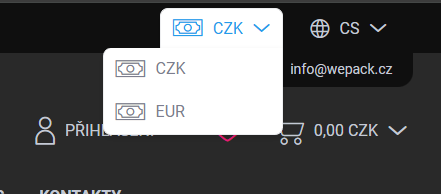
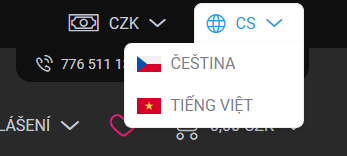
Choose language and currency
After opening www.wepack.cz, you can choose the language and currency that suits you best in the top part of the website.
This helps you view the store interface and prices in the most convenient setup.
Customer account registration
You can shop on Wepack.cz even without registration. If you plan to order repeatedly, we recommend creating a customer account for faster shopping and order overview.
For wholesale accounts, we verify your company details after you enter your company ID. After activation, you may gain access to individual or wholesale conditions.
How to search for a product
You can find products in several ways. The fastest option is to use the search bar. You can search by product code, name, size or short description.
- By code: ideal if you already know the exact product, for example HV001 or NC030.
- By description: for example “750 ml soup bowl”, “PET lid” or “SUSHI tray”.
- By category: useful when you want to compare similar products.
Choose the correct product unit
For some products, you can choose between a smaller unit and a larger quantity. The most common units are pack and carton.
Before adding a product to the cart, always check that you are ordering the correct unit. With food packaging, the difference between one pack and a full carton can be significant.
Related products and alternatives
We also recommend checking related products and alternatives. This helps you choose compatible lids, films or a similar product in another size.
Add to cart and check your order
After choosing a product, select the quantity and add it to the cart. In the cart, we recommend checking the product name, unit, quantity and price.
- Check that you have selected the correct product variant.
- Verify the number of packs or cartons.
- For compatible products, check the lid, bowl or film size.
- Choose the right delivery method based on your address and order value.
Choose payment
In the next step, choose your payment method. Available options may vary depending on customer type, order value and selected delivery method.
Enter customer details
Before completing the order, fill in your contact, billing and delivery details. If you are shopping as a company or wholesale customer, also enter your company ID.
For company orders, we recommend checking the company ID, VAT ID and billing address carefully. This helps prevent mistakes on documents.
Complete your purchase
After checking all details, submit your order. You will then receive a confirmation email confirming that your order has been received.
- The confirmation email includes an order summary.
- For bank transfer, you will receive payment instructions.
- If a QR code is available, you can pay faster through your banking app.
- After processing your order, we will inform you about the next steps or delivery.
Ready to shop?
Choose the right food packaging and complete your order in just a few minutes. You can shop with or without registration.